

On Lemmy you have a tab to view your uploaded files, I cannot find any such tab or option for piefed.
On Lemmy you can use: https://instance.tld/u/user_name?page=1&sort=New&view=Uploads
You must log in or # to comment.
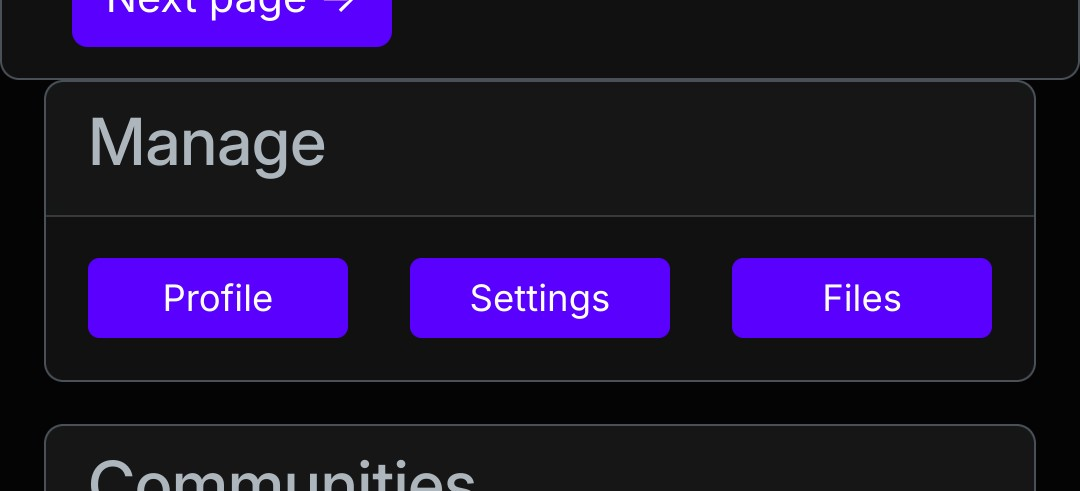
Go to https://instance.tld/user/files or use the Files-button in the sidebar of your profile.
Could not find anything in sidebar on mobile, but the direct link worked.
True, it’s a little hard to find on mobile. The Manage section containing the buttons Profile, Settings and Files is located below your posts and comments, above your subscribed communities.
Found it, thanks again.
If I delete an image file, does it get deleted from the post it’s included in? Or is it just removed from my vault of images (which I’m seeing now is a little over half full)?
I am fairly certain if you delete the image it goes away, but due to federation it may take some time.
Sounds about right to me too.
Just noticing, can’t access the image interface when editing, only with new comments
If you upload an image in a comment, you get an interface to access your uploaded images. It would be great to be able to manage that further. I could delete the bulk of them to be less taxing on the server and other resources.
It would be great to be able to manage that further. I could delete the bulk of them to be less taxing on the server and other resources.
It would be nice to be able to see where my images are posted too, that way I could decide if I wanted to delete them, save it, or maybe host it elsewhere.
Thanks for mentioning this stuff. I realize I’d only noticed the interface on mobile browser, hadn’t wrapped my head around it other than that yet, but comments here are very helpful, thanks to your asking.

