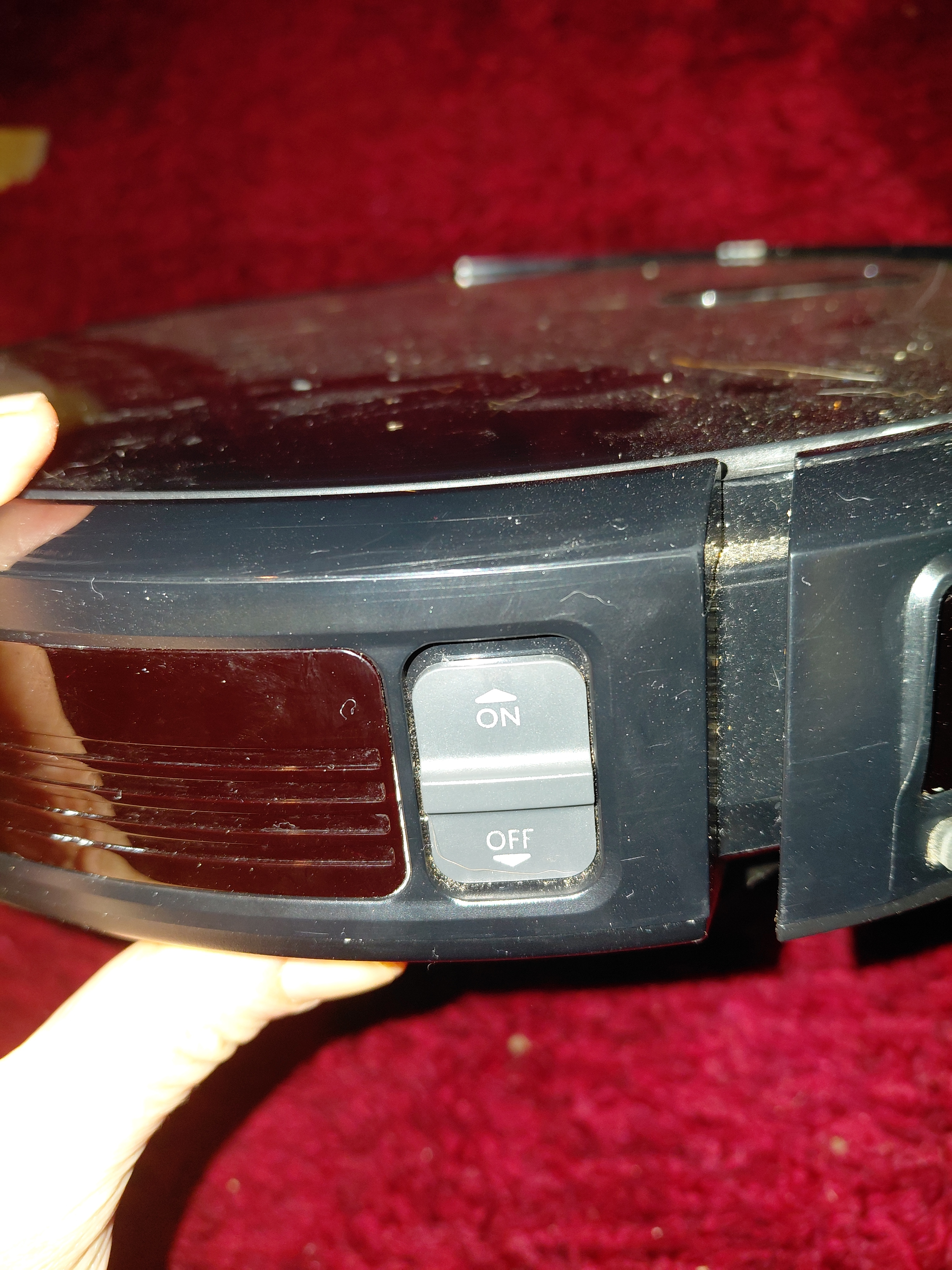

It’s out of warranty. It works but only when I press and hold the button in, so I can’t use it. I think it’s something to do with the button mechanism.
Any ideas? It’s not the robovac brand but obviously it wasn’t cheap!
Sounds like some schmutz got in between the plastic button and the switch inside. Can you take it apart and clean it out with some Q-tips and alcohol?
If that doesn’t fix it, you can pop the badboy open and put a different switch in.
Thanks dad how do I find the right size switch?
You got three options. If you have a multimeter, check the current and look for switched that match the number it gives you. Option two, check the switch for numbers and look those up, if you don’t find the exact switch you’ll find a very close one. Option 3, pop that box open and stuff in any switch that’s close in size and function. That’s a simple toggle, so really all it does is touch two metal bits together to complete the circuit. If the switch isn’t strong enough, it might burn out, but there’s so such thing as too strong here. Hell, if you don’t mind never being able to turn it off, you can just cut the switch out and twist the wires together. That’s what my dad did for all his problems lol
That’s excellent thanks dad!
Thanks daddy where am I taking it apart? Remember I have dyspraxia so this isn’t easy
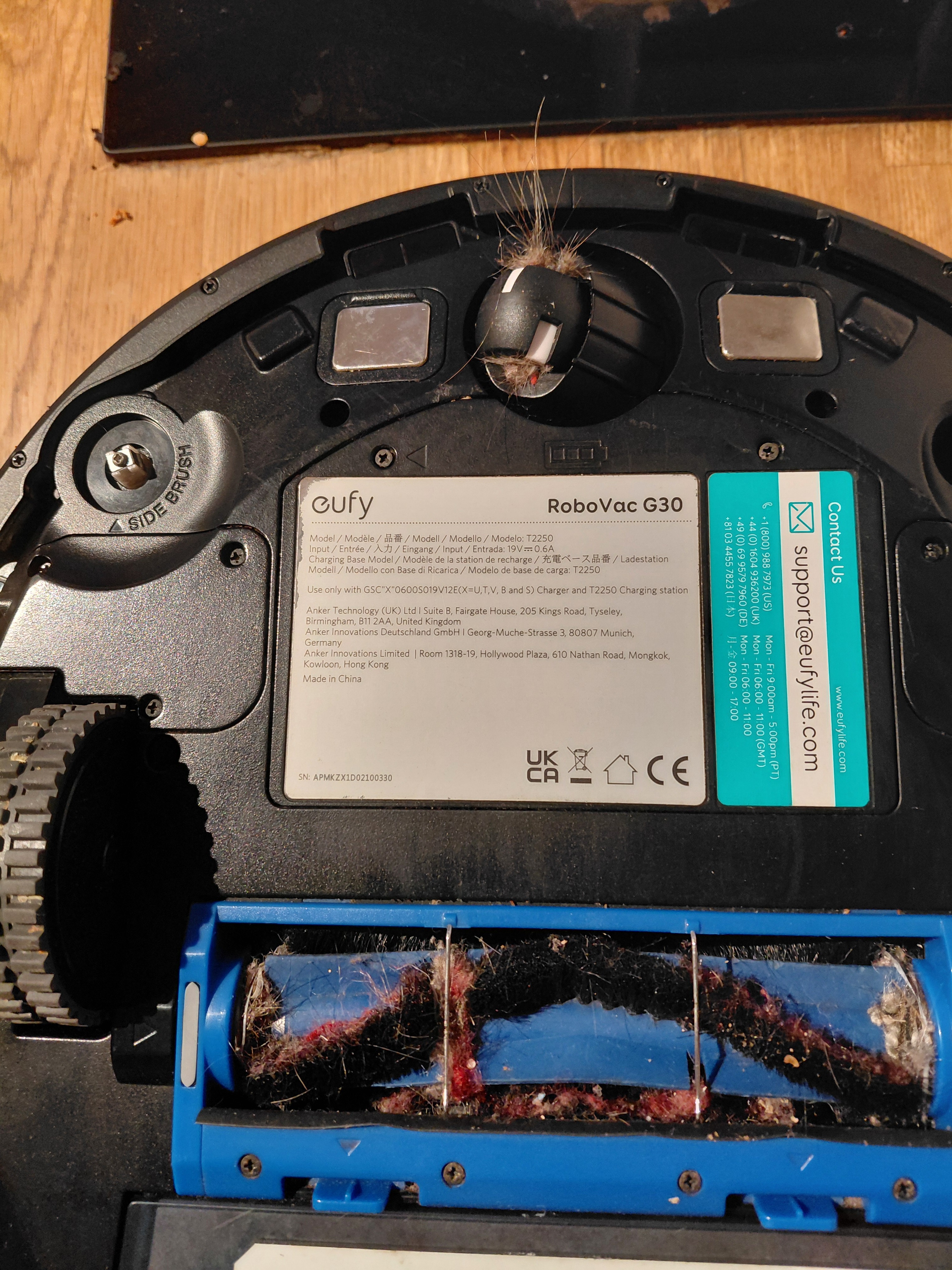
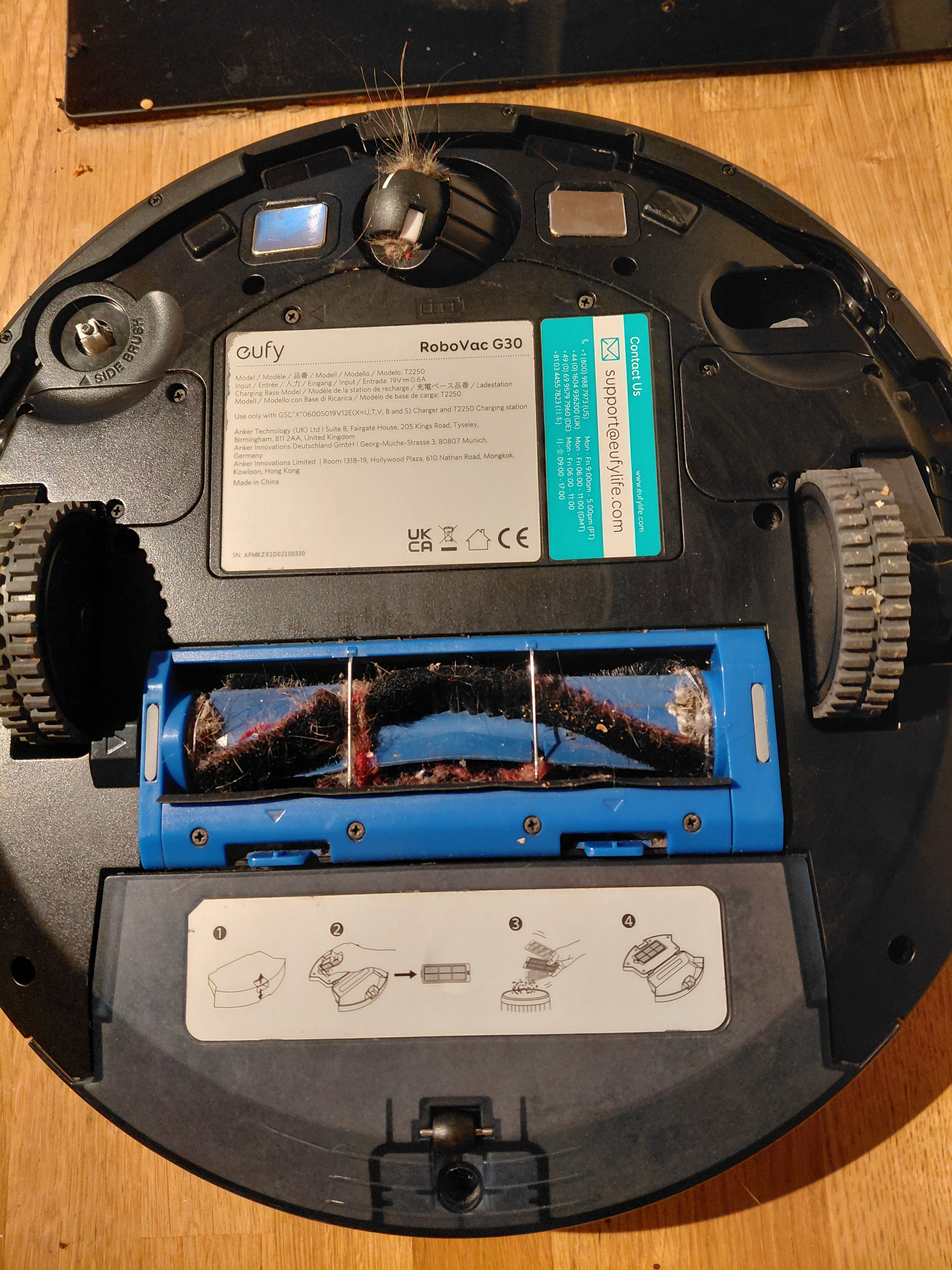
I’d start by wiggling the outside casing to try and see where it’s attached to the frame of the machine and take out any screws holding it down, using a little dish or some folded up tin foil to hold all the screws of one type, then slap on a lil masking tape on that bowl, label it A, then another bit of tape on the part it came off, or near the holes they came from, and label those A, and then B for the next part, etc., all the while trying to free the casing that holds the on off switch.
Don’t disassemble more than ya have to. Another poster said they found teardown videos for devices of this make, I’d watch through those a few times to see if any of em get to the switch you’re trying to fix beforehand, so you got a better idea of what to expect and maybe you can minimize the amount of work you have to do to get it at it.
Take it slow and steady, there’s no rush. Anything that can be assembled can be disassembled.
Dad you’re a lifesaver thanks so much!
Awww shucks, here’s hoping it works for ya!
After you’re done with the switch, might as well do a little cleaning/maintenance:
-
the brush is held in by the blue piece with two tabs - push those tabs up, take off the guard and you can remove the brush. Use scissors to cut any hair wrapped around the brush and remove it then pull as much junk out as you can. The brush has one square peg end that the motor drives and it’ll need to go back in the correct side, the other side just sits in and then put the blue piece back on.
-
the wheel that spins around in different directions is how the vacuum controls its movements and it can be pulled out and cleaned of all that hair and junk - your robot will be better able to maneuver and understand where it is.
-
You may want to consider some replacement parts for where I see a missing side brush, for example: https://www.amazon.com/CauYien-Replacement-RoboVac-Cleaner-11s/dp/B0BYRWQRPK
You got this and you’ll feel better once you’ve done it yourself!
Oh hair, of course! I have long hair so I bet you anything it’s riddled with it. They’re really easy to understand steps thanks dad ❤️
-
Hey kiddo, there’s a ton of good advice here that can bring you ahead.
If you decide to try it on your own remember: practice makes perfect and there’s no guarantee your fix will work. Don’t be disappointed if it does, but think about what you learned and how to do it better next time.
Also if you’re feeling in over your head remember you’re not alone. Check where the next repair café is near you. This def. sounds like a problem with a good chance of being fixed and the people there are nice and helpful.
Best of luck, I believe in you!
Ahhh a repair cafe I didn’t know about them! Thanks dad you’re the best
It may be crud preventing an internal switch reaching a detent, or it may be corrosion based upon the image. I do not know what that white stuff is near the switch, in the groove of the trim piece. That could be nothing, or it could be corrosion. There is no way for me to tell.
Everything was put together by someone. You are as smart or smarter than that someone. You can take the thing apart and put it back together if you try and want to bad enough sweetie. Most problems are obvious and minor. Most objects have resources on YT or the internet for how to take them apart. I expect little miss to have a working robot vacuum past the zombie apocalypse, so you best start learning how to repair one now while it is easy. -Love Dad.
Is that a Eufy? It looks quite similar to mine, and they have videos available online showing how to do various repairs.
Ooooh nice one thanks
Everybody else has great advice, but here’s a video like to a tear down of your specific G30. All the screws you have to remove get circled in red.
Just in case you’re a visual learner
Oh that’s a good video nice one dad
If you wanna crack it open, I’d go with what others are suggesting. Minimal disassembly and thorough cleaning with rubbing alcohol.
Hey sunshine. It makes me so proud you want to attempt to fix something rather than throw it out.
When my computerybox did a whoopsie (which had nothing to do with me spilling coffee over it), I used this great website to find out how to take it apart. Might not be helpful this time but perhaps for the next thing that does or does not get offered an unexpected and undesired cup of Joe.
Those little screws might be a pain with your dyspraxia so maybe take it apart on a tray or something so nothing rolls under the couch.
And if you can’t fix it, that’s okay! You tried, that’s all that matters. I’m sure there’s a local repair person out in your neck of the woods. Failing that, I’m sure there’s a witch in those woods with a broom you can borrow hurhurhur.
Keep being you, sunshine.
Thanks dad that’s helpful in multiple different ways ❤️